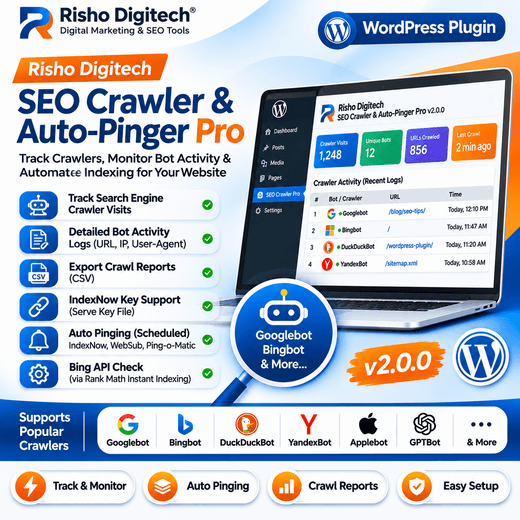
Monitor Crawler Activity on Your WordPress Website
Risho Digitech SEO Crawler & Auto-Pinger Pro helps website owners monitor visits from recognized search engine crawlers and other supported bots. The plugin records crawler activity and displays information such as the detected bot, requested URL, visit time, IP address, and user-agent details.
This information can help site owners review which pages are being visited by recognized crawlers and maintain a record of bot activity on their website.
Recognize Multiple Crawler Types
The plugin identifies a range of crawler user-agent tokens, including Googlebot, Bingbot, DuckDuckBot, YandexBot, Applebot, social preview crawlers, and selected AI-related crawlers. It also includes recognition for certain SEO tools’ bots.
Crawler identification is based on user-agent strings, so the displayed bot identity should be treated as a detection result rather than independent verification of the visitor.
Crawler History and Reports
The plugin stores crawler activity in a history log that can be reviewed from the WordPress dashboard. This can help users compare visits over time and inspect which URLs were requested.
A CSV export option is available for supported report data, making it easier to review or archive crawler logs outside WordPress.
IndexNow Key Support
The plugin includes an IndexNow key feature and can serve a standalone key file for supported verification workflows. It also checks for a Bing API key configured through Rank Math’s Instant Indexing settings.
IndexNow can notify participating search engines about URL changes, but submitting or pinging a URL does not guarantee that it will be crawled, indexed, or ranked.
Automated Pinging Tools
The plugin includes a scheduled daily task for its supported pinging functions. It also hooks into post-save activity to run its configured ping workflow when content is updated.
Available integrations described in the plugin include IndexNow, WebSub Hub, Ping-o-Matic RPC, and sitemap warming. The result of each service depends on its availability and current acceptance rules.
WordPress Dashboard Access
The plugin adds a dedicated dashboard page where users can access its crawler and ping history tools. Its purpose is to bring crawler activity records and supported pinging controls into the WordPress administration area.
Important SEO Note
Crawler tracking and pinging tools can help with monitoring and notifying supported services, but they do not guarantee faster indexing, higher rankings, or search traffic. Search engines make their own crawling, indexing, and ranking decisions.