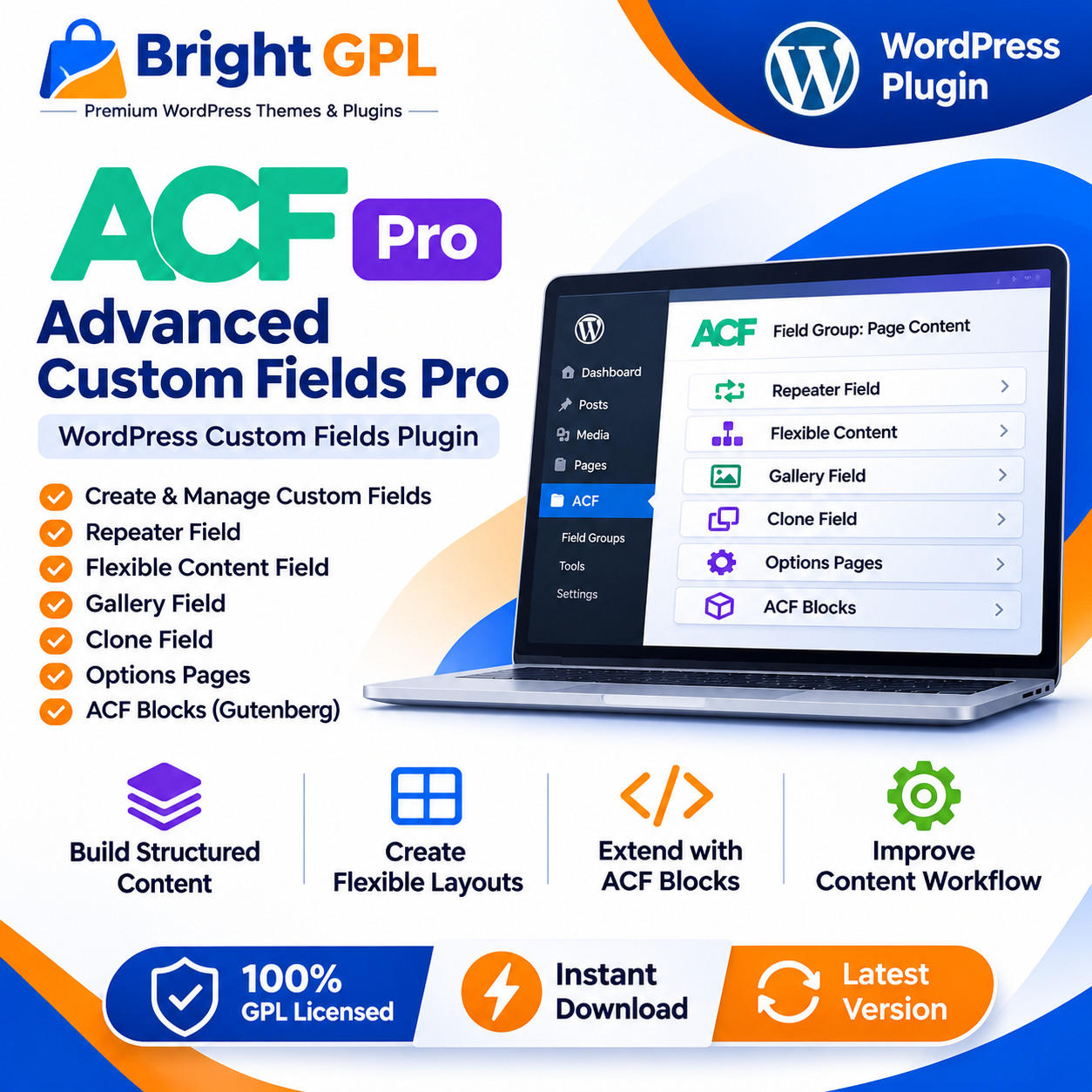
Advanced Custom Fields Pro (ACF) – WordPress Custom Fields Plugin
Advanced Custom Fields Pro (ACF Pro) is a WordPress plugin designed to help developers organize, manage and display structured content. It extends WordPress editing screens with custom fields, allowing website owners and content editors to enter information in a more organized way than relying only on the standard post title and content editor.
ACF Pro is especially useful when a website needs repeatable content sections, custom page layouts, structured information or specialized editing workflows. Developers can define the fields that editors need, while the website’s templates determine how that information appears to visitors.
Build Structured WordPress Content
Many websites need to store information beyond a page’s main text. A business website might need a team member’s role, phone number and profile image. A property listing might need a price, address, features and gallery. A product or service page may require structured specifications, FAQs or related content.
ACF helps developers create custom fields for these kinds of details and place them in relevant WordPress editing areas. The result is a more structured content workflow: editors can enter information into specific fields, and developers can use that information within the website’s templates.
ACF supports field groups and a wide range of field types. Fields can be associated with different WordPress content areas, including posts, pages, custom post types, taxonomy terms, users and other supported locations. The exact field placement depends on the configuration and version in use.
Premium Fields for More Flexible Content
ACF Pro includes premium field types and tools that extend the capabilities of the free ACF plugin. These features can help developers manage more complex content structures and reduce repetitive editing work.
Repeater Field
The Repeater field lets editors add multiple rows of related subfields. For example, a team section could use repeated rows for each team member, with fields for a name, role, photo and biography. A services page could use repeated rows for service title, description and icon.
This structure is useful when the number of entries may change over time. Editors can add, remove or reorder rows through the WordPress interface, while developers can retrieve the saved values and display them through templates.
Flexible Content Field
The Flexible Content field is designed for pages that need different types of content sections. Developers can define layouts made from subfields, and editors can select and arrange those layouts while building a page.
A page might include a text section, image-and-text section, testimonial block or call-to-action area. The available layouts are determined by the field group configuration, so the editor can work within a defined set of design and content options.
Gallery Field
The Gallery field provides an interface for managing a collection of images. Editors can add images and arrange the collection, while developers can use the saved gallery data in the site’s templates.
This can be helpful for portfolio projects, property listings, product displays, event pages and other websites where a content item needs multiple images.
Clone Field
The Clone field allows existing fields or field groups to be reused in other field configurations. Reusing established fields can help keep editing screens consistent and reduce duplicated field setup across a website.
Options Pages
ACF Pro’s Options Pages feature can add custom administration pages for managing shared site information. For example, a developer may create fields for global contact details, social links or other reusable content that appears across multiple pages.
The way options-page data is stored and displayed depends on the implementation. Developers should configure access and presentation according to the website’s requirements.
ACF Blocks for Custom WordPress Editor Blocks
ACF Pro includes ACF Blocks, a framework for developing custom block types for the WordPress Block Editor. Developers can use it to create blocks that integrate custom fields with the editor experience.
This can be useful when a website needs reusable, branded content components that editors can place within pages or posts. Examples might include a custom staff profile block, a service feature block or a structured call-to-action component.
ACF Blocks are a development feature rather than a ready-made library of every possible website block. The blocks available on a particular site depend on what the developer builds and configures.
Support for Custom Website Workflows
ACF Pro can help developers tailor WordPress to the needs of a specific website. Instead of asking editors to follow a rigid content format, a developer can create field groups that reflect the information required for each content type.
For example, a directory website may need fields for location, contact details and opening hours. A real estate website may need property specifications and image galleries. A business website may need service details, staff profiles and customer testimonials.
These are examples of possible implementations, not preconfigured website systems included with the plugin. The fields, templates and front-end presentation must be designed for the project.
Developer-Oriented Content Management
ACF is a tool for building and managing structured content in WordPress. Developers use its field configuration interface and functions to retrieve and display saved values in a website’s templates.
The plugin can help separate content entry from front-end presentation. Editors focus on entering information, while developers decide how that information is rendered and styled. This can make a content workflow easier to maintain when a website has specialized data requirements.
ACF is not a complete page design service or a substitute for custom development. The plugin provides the field-management framework; the website’s theme, templates and code determine how the information is presented.
Who Can Use ACF Pro?
ACF Pro is particularly relevant to WordPress developers, agencies and teams building websites with custom content requirements. It may also be useful to website owners who work with a developer to create a tailored editing experience.
Typical projects include business websites, directories, portfolios, editorial websites, property listings, service websites and other WordPress projects that need structured data. The plugin’s usefulness depends on the content model and the way it is implemented.
Key Features
Create and manage custom field groups
Add structured fields to supported WordPress content areas
Repeater field for repeated sets of subfields
Flexible Content field for configurable content layouts
Gallery field for managing image collections
Clone field for reusing field configurations
Options Pages for shared site settings
ACF Blocks framework for custom Block Editor blocks
Developer functions for retrieving and displaying field data
Tools for building tailored WordPress editing workflows
Important Implementation Considerations
ACF Pro provides tools for defining and managing custom fields, but the front-end display generally requires a compatible theme, template or custom implementation. Developers should plan how fields will be rendered, how empty values will be handled and how content will be maintained over time.
Before using the plugin on a live website, check the product documentation and confirm compatibility with the installed WordPress version, theme and related plugins. Test custom field configurations and templates on a staging site where possible.
ACF Pro is a standalone premium plugin and does not require the free ACF plugin to be installed separately. Licensing, updates and access to premium features depend on the applicable official license and activation status.
Why Choose Advanced Custom Fields Pro?
Advanced Custom Fields Pro provides a structured way to extend WordPress content editing for projects with specialized data requirements. Its premium fields and developer tools can support repeatable content, flexible page sections, image collections, shared site settings and custom editor blocks.
For developers and agencies, it can help create more tailored editing workflows while keeping content organized within WordPress. The best results come from planning the field structure and front-end implementation around the website’s actual needs.
Explore Advanced Custom Fields Pro at Bright GPL and review the package documentation before installation.