Dokan Pro WordPress Plugin – Multi-Vendor Marketplace for WooCommerce
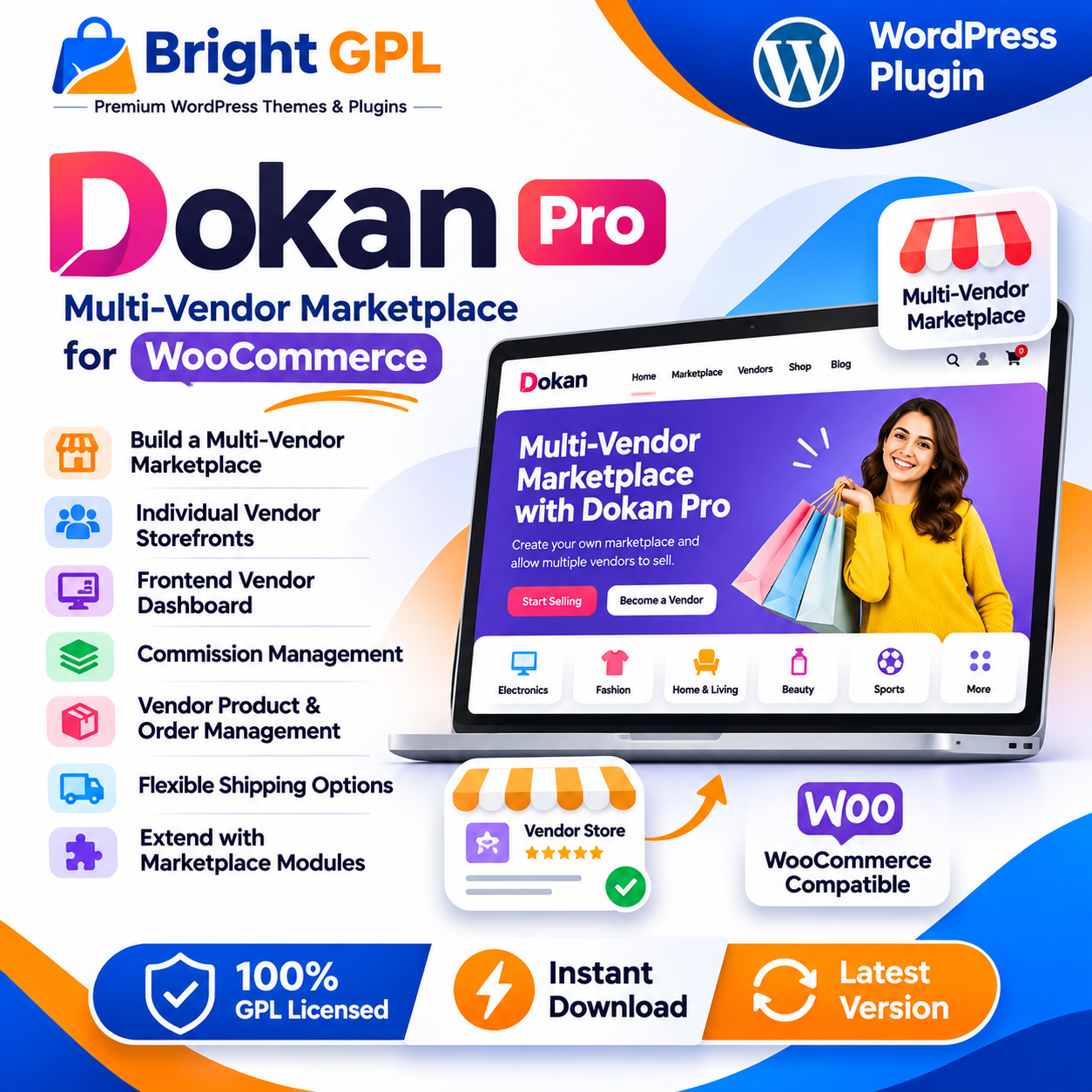
Dokan Pro is a WordPress plugin designed to help turn a WooCommerce website into a multi-vendor marketplace. Instead of operating as a single-seller store, a marketplace can allow multiple vendors to list and sell products through one website. The marketplace owner can manage the overall platform, while vendors operate their own stores and handle their marketplace activities.
Dokan is built around WooCommerce, so the marketplace uses WooCommerce as its e-commerce foundation. Dokan adds vendor-oriented features and workflows to support marketplace management. The exact tools available depend on the Dokan plan, enabled modules, connected plugins and the way the website is configured.
Create a Marketplace with Multiple Sellers
A multi-vendor marketplace brings products from different sellers together under one website. This model can be useful for businesses that want to create a general marketplace, a niche shopping platform or a directory of independent sellers offering products.
With Dokan, the marketplace owner can set up a vendor-based selling environment and manage how sellers participate. Vendors can have their own storefronts, while customers can browse products from different sellers through the marketplace. Each vendor’s store can have its own identity and store URL, subject to the site’s settings.
This structure can support marketplaces for fashion, electronics, home products, digital downloads and other product categories. The marketplace owner determines the business model, seller requirements, product categories and operating policies.
Frontend Vendor Dashboard
Dokan provides a frontend dashboard that allows vendors to manage marketplace activities without needing routine access to the WordPress administration area. Depending on the configuration, vendors can use the dashboard to manage products, review orders and access store-related tools.
A frontend dashboard can make the marketplace easier to operate by giving vendors a dedicated place to manage their store. It can also help the marketplace owner keep administrative controls separate from vendor activities. The available dashboard options and vendor permissions depend on the Dokan version and enabled features.
Make Your WordPress Marketplace!
Vendor Storefronts and Product Listings
Each vendor can have an individual storefront within the marketplace. A storefront can present the seller’s products and relevant store information, helping customers browse items from a particular vendor.
Dokan supports frontend product management, with additional product capabilities available through Pro features and modules. Depending on the selected configuration, vendors may be able to manage product variations and other product details from the frontend. Product listing permissions can be controlled as part of the marketplace setup.
Marketplace owners should establish clear product guidelines, seller requirements and review processes. These policies help maintain consistent product information and a reliable customer experience across different vendors.
Commission and Marketplace Revenue
A marketplace owner may earn revenue by charging a commission on sales made through the platform. Dokan includes commission settings that allow the marketplace to define how earnings are divided between the admin and vendors. Commission options can vary by configuration and plan.
Make Your WordPress Marketplace!
Before launching a marketplace, the owner should decide how commissions will work, when vendor earnings become available and how withdrawals are handled. These decisions should be reflected in the marketplace’s seller terms and operating policies.
Dokan also supports vendor subscription-related features through available modules and plans. These can be used in marketplace business models where sellers pay for access or listing-related privileges, subject to the feature setup and terms.
Order Management and Vendor Operations
A multi-vendor marketplace needs a clear way to handle orders from customers and coordinate activity among sellers. Dokan provides order-management workflows for marketplace vendors and administrators. Vendors can manage their own order-related tasks, while the marketplace owner maintains oversight of the overall platform.
The precise order workflow depends on the marketplace configuration, WooCommerce settings and enabled Dokan features. Before launch, test the complete purchase process, including order notifications, vendor access, order status changes, cancellations and refunds.
Shipping and Delivery Options
Shipping can be an important part of a marketplace, especially when different vendors sell and fulfill their own products. Dokan’s Pro features include vendor-oriented shipping options, and some shipping tools are provided through specific modules or integrations.
Marketplace owners should confirm which shipping methods are supported by the chosen setup and decide whether vendors can configure their own shipping rates. Shipping rules should be tested with different vendors, products and delivery locations before the marketplace begins accepting orders.
Marketplace Modules and Integrations
Dokan offers additional modules and integrations that can extend marketplace functionality. Depending on the plan and configuration, available tools may cover areas such as vendor support, seller verification, subscriptions, product inquiries, analytics, geolocation, shipping and payment integrations. Not every module is included in every plan.
This modular approach allows marketplace owners to select tools based on their business requirements rather than enabling every possible feature. Before purchasing or installing a package, check the current official feature list and verify which modules are included.
Suitable Marketplace Projects
Dokan Pro can be considered for a range of marketplace projects, including:
General multi-vendor product marketplaces
Fashion and accessories marketplaces
Electronics and home-product marketplaces
Digital-product marketplaces
Niche marketplaces for specific industries
Local seller and regional shopping platforms
The plugin provides marketplace functionality, but the final website still requires planning, configuration, product content, vendor onboarding and appropriate payment and shipping arrangements.
Why Choose Dokan Pro?
Dokan Pro provides marketplace-focused tools for extending a WooCommerce website beyond a single-seller store. Vendor storefronts, frontend management, commission settings and optional modules can help support a marketplace with multiple sellers.
It may be useful for entrepreneurs, businesses and developers building a seller-based e-commerce platform. The right setup depends on the marketplace’s business model, required vendor workflows and the features included in the selected Dokan plan.
Explore Dokan Pro at Bright GPL and review the package documentation before installation.
Important: Dokan Pro is an extension of a WooCommerce-based marketplace setup. Confirm the required WooCommerce installation, selected Dokan version, enabled modules and any third-party integrations before using it on a live website.